Own product · 2026
Prospector
A local tool that ranks nearby businesses by their web and AI gaps and drafts the first email, which brought my studio client work.
Outcome
I built it in two days, sent the emails it drafted, and they brought in client work.
- Challenge
- Finding local businesses worth pitching took hours of manual site audits.
- What I built
- A local map tool that scores nearby businesses on web and AI gaps, then drafts the first email.
01 / 06
The Other Half of the Funnel
Echo, the intake chat on my studio's site, looks after people who come to me. It does nothing for the businesses that never find me.
I wanted the outbound half. That meant finding local businesses that would genuinely benefit from web or AI work, without auditing their sites by hand.
My first idea was to automate all of it. That was also the version most likely to stall.
02 / 06
Cutting the Scope First
The full idea was a system that found businesses, audited them, emailed them and briefed me. Built as one piece, it risked a vague plan and no finish.
So I split it in two. The first phase stopped at a ranked report, so I could judge the research before anything was sent automatically.
That also kept spam law and sender reputation out of the picture until the data was good. And it meant shipping in days, not weeks.
It was a tool for me alone, running on my own machine. The plan started as a command‑line program.
03 / 06
A Map Instead of a Command Line
On the first day I changed that. Choosing an area is a spatial job, so the main screen became a map.
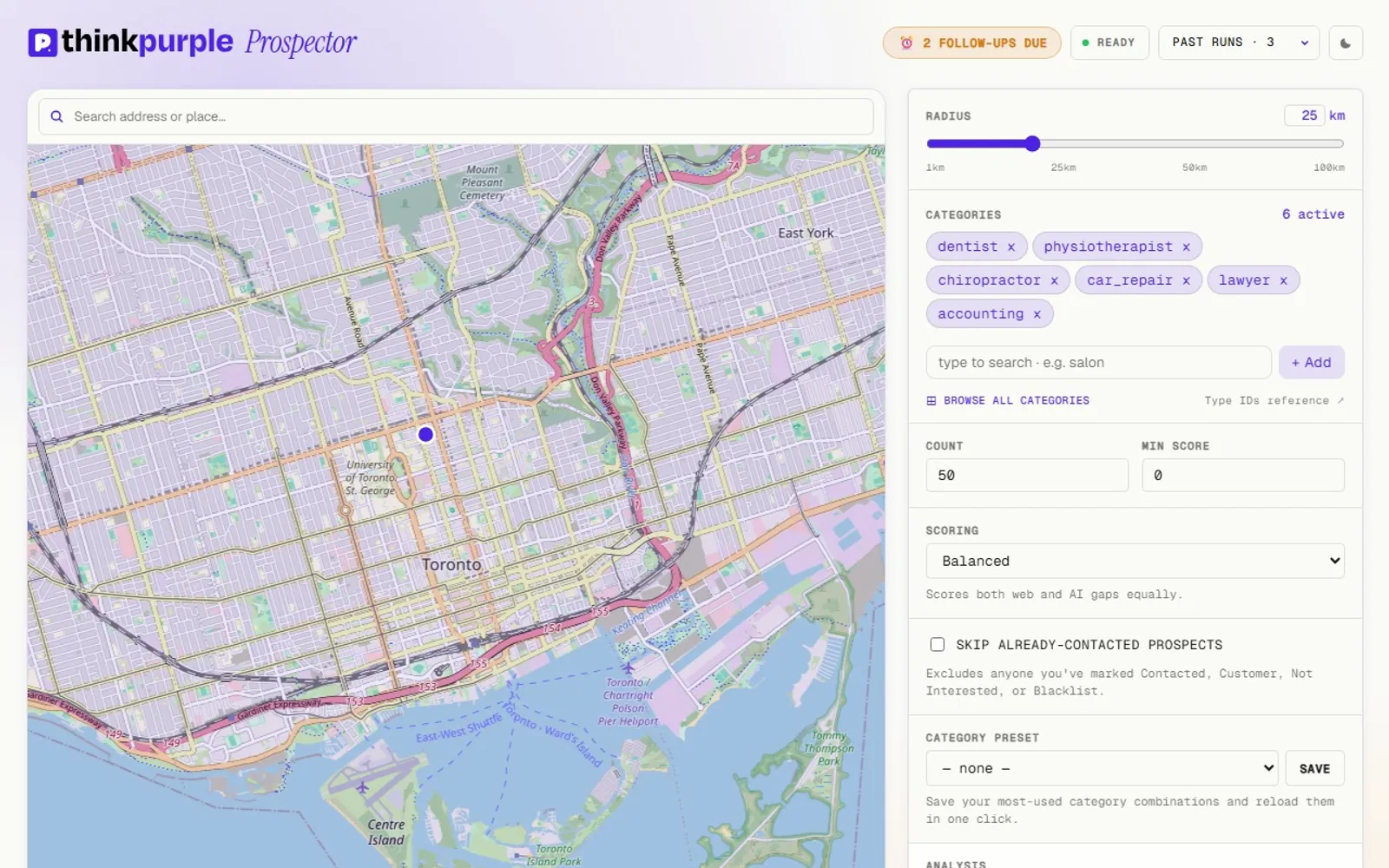
I drop a pin, set a radius and pick business categories. Progress streams in while it finds places, reads their sites and runs speed tests.
A search starts from a pin and a circle, here 4 km of downtown Toronto. The map is a static OpenStreetMap stand‑in for Google's.
Before anything runs, the panel shows what it covers and roughly what it will cost.
The run streams in stage by stage, then the ranked list appears. Every business here is invented.
Real use found rough edges fast. Google's older place search wasn't open to new projects, so I built my own dropdown. The radius circle also swallowed map clicks until I fixed it.
The harder question was what to measure once a site was found.
04 / 06
Two Scores, Not One
A business can need a better website, or need AI in how it works, or both. Those are different conversations, so I scored them apart.
The web score looks for slow pages, no HTTPS, missing page details and a copyright year left behind.
The AI score looks for no chat, a static intake form, sites closed to AI crawlers, and the kind of service AI helps most.
I treated the first weights as a guess to correct after seeing real reports.
Hot leads come first, each card with its score and strongest gaps.
Warm leads have real gaps, but in only one of the two areas.
Cold leads are mostly fine, so they come last.
Lettered grades didn't tell me what to do, so I renamed them Hot, Warm and Cold. Hot means a score of 75 or more, or 60 when both gaps apply.
Each card opens into the full picture of one business.
05 / 06
From a Lead to a Draft
A lead shows both scores, every gap sorted by severity, and a pitch angle written in plain language.
On request, Claude drafts the first email under strict rules. It must be under 90 words and move from one observed gap to a soft ask.
Nothing is sent from the tool. The draft opens in my own mail app, where I edit it and decide.
A lead opens on its two scores, side by side.
Then every gap by severity, and the angle to pitch.
A draft follows the prompt's rules, and Regenerate tries again. These drafts are examples written to those rules, and nothing is sent.
The second day made it a working tool. It gained saved history, retries, a running cost meter, contact status and notes, and follow‑up reminders.
06 / 06
Running It for Real
I built it in two days and ran it on real areas straight away.
I sent the emails it drafted, and they brought in client work.
Automated sending, the second phase, was never built. Every email went out by my hand, after I'd read it.
Next case study
Japan Trip Planner →
Two travellers needed one shared itinerary on their phones, out of a spreadsheet, that worked without signal.