Own product · 2026
ThinkPurple.ai
The system my studio runs on: an AI intake chat that has brought in several clients and means I arrive at first calls prepared.
Every enquiry started from zero
ThinkPurple is my studio, and I'm the only person in it. Every enquiry used to begin with slow back-and-forth before I understood what someone wanted.
Then came the research, the quote and, weeks later, chasing the invoice. I wanted a system that carried that load, starting with the very first conversation.
A chat that scopes instead of sells
The homepage is a conversation with Echo, an intake assistant running on Claude Opus. Its only job is to scope the visitor's idea well enough for a useful first call.
Echo works toward five things: what they asked for, the result they actually need, their context, a timeline and a rough budget. The gap between the ask and the need is the part I care about most.
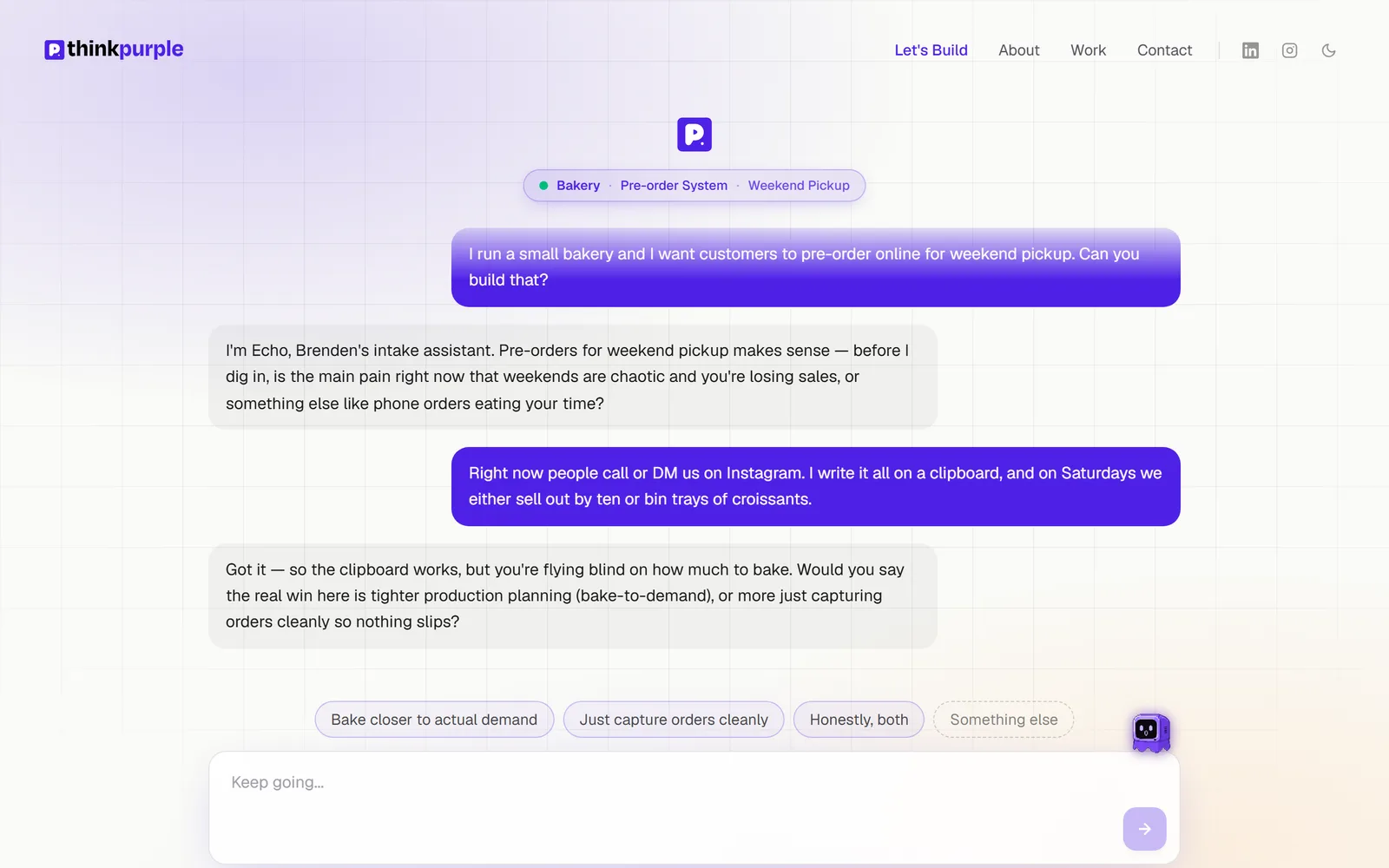
I gave it hard limits. It gives no free consulting, never invents prices or availability, and never fills a gap with a placeholder.
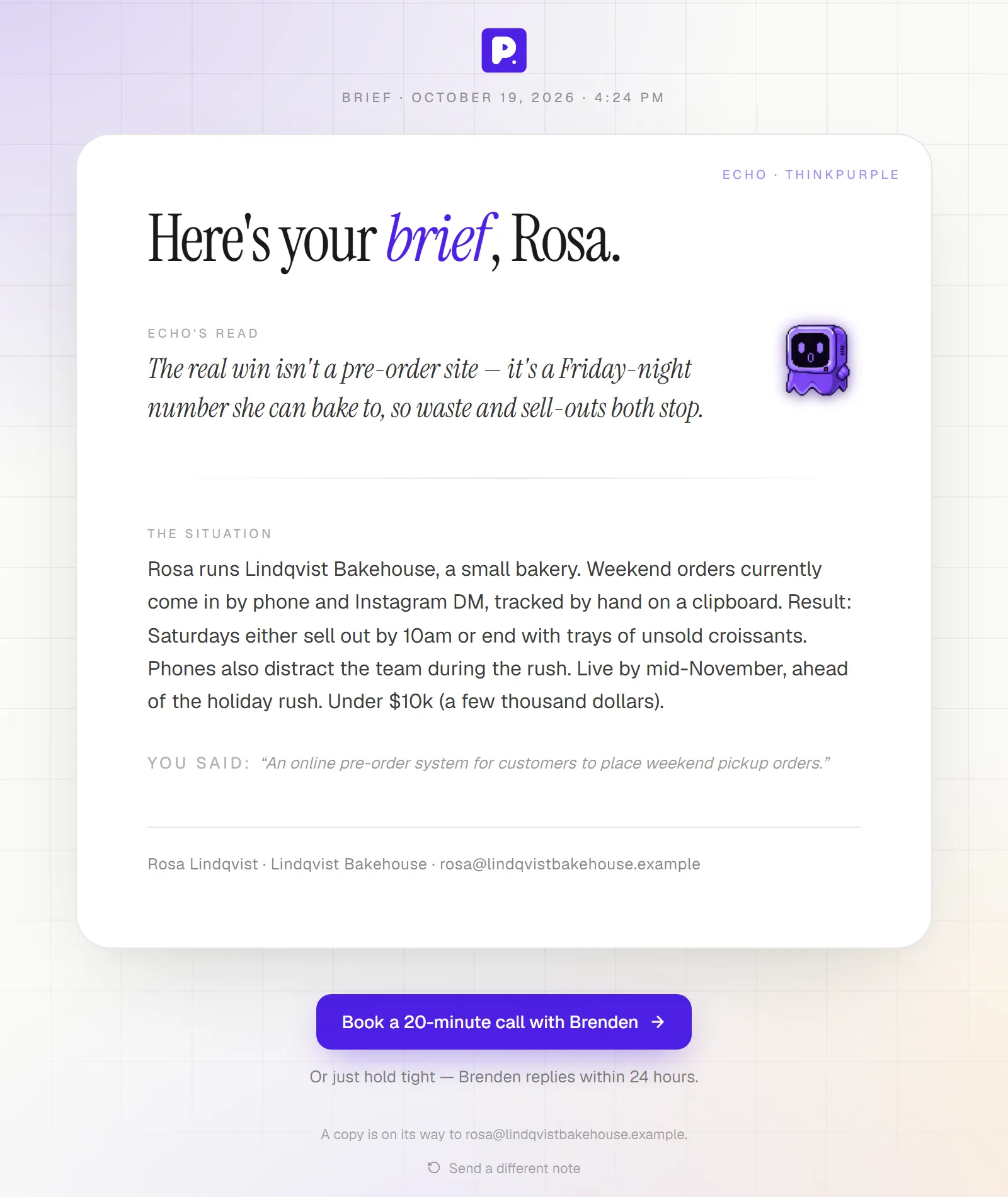
In the bakery test, the owner asked for online pre-orders. By the third reply, Echo had found the real need: a Friday-night number she could bake to.
When every field has a real answer, Echo writes a brief. The visitor sees it as a short document with Echo's one-line read at the top.
A lead that arrives with a read
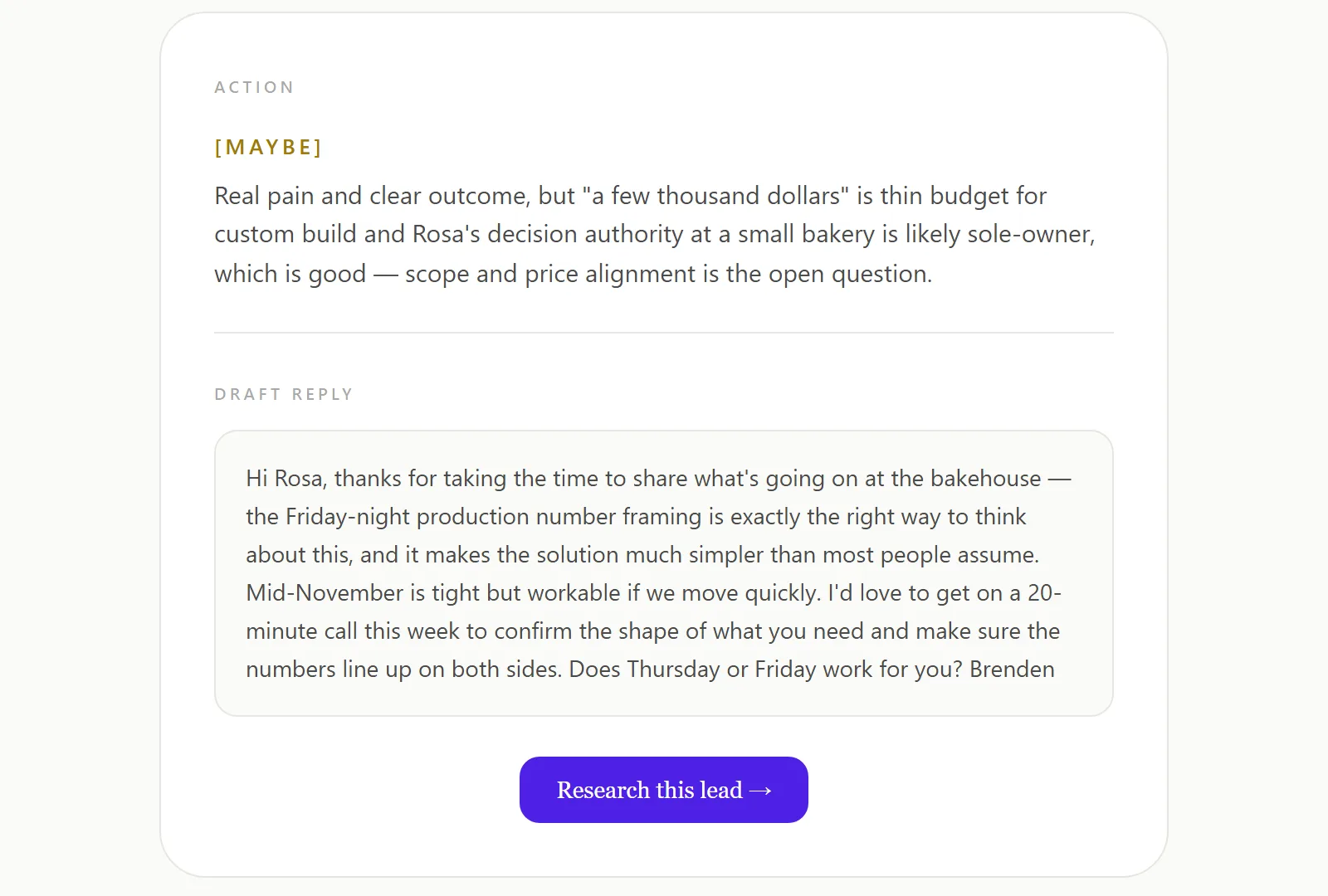
Behind the scenes, a second model reads the whole transcript. Claude Sonnet returns a fit verdict, a draft reply, quick wins, probe questions and risks.
That analysis lands in my inbox with the brief and transcript. At the same moment, the visitor gets a confirmation email with the same booking link.
I designed each step to fail safely. If the analysis or the database write fails, the email still goes out without that layer. Research is the one step I kept out of that chain.
Research when I ask for it
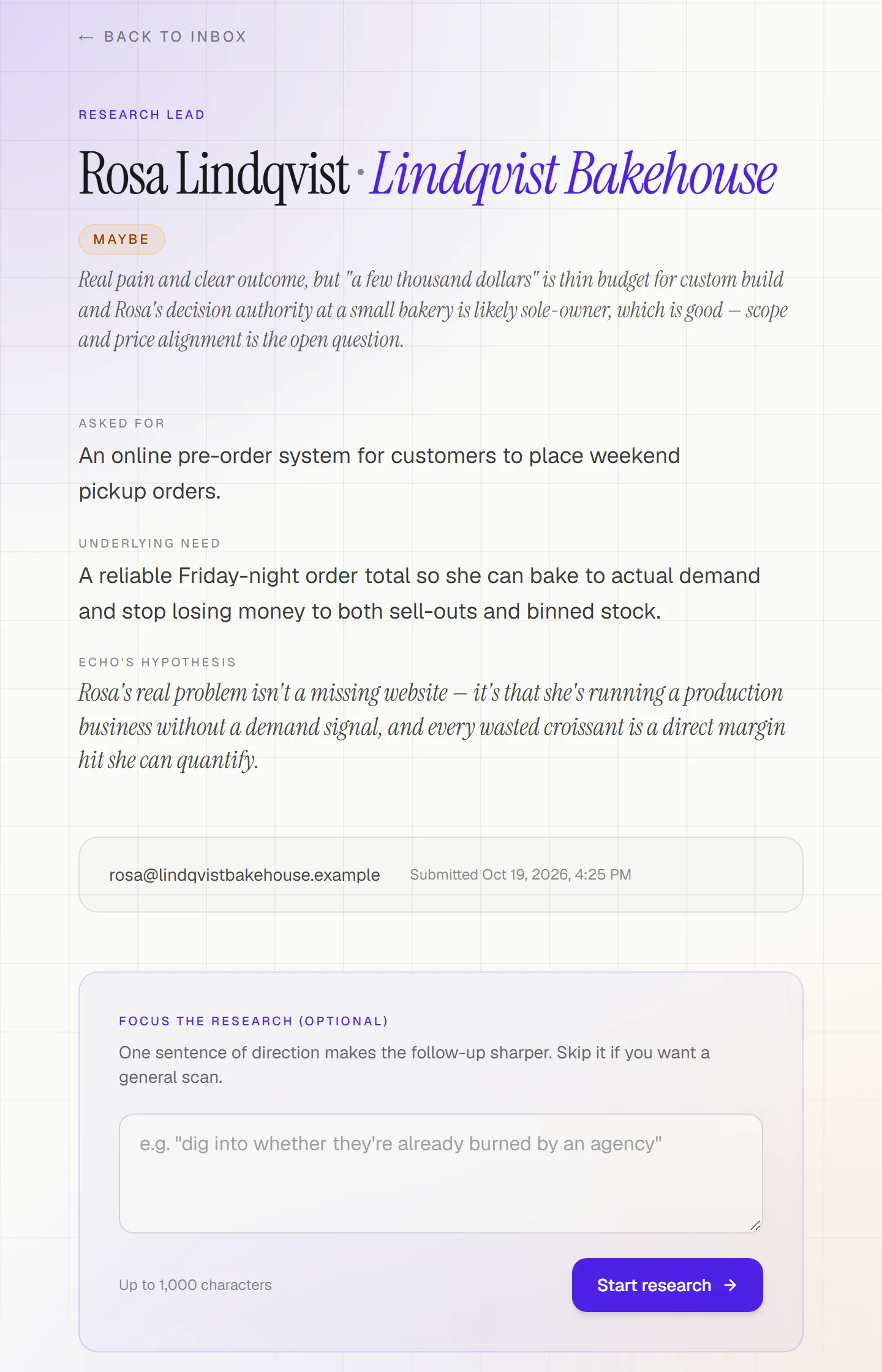
One click starts a background job that researches the company on the web. When it finishes, a summary of the findings arrives by email.
The email link only opens a page, and I start the job by hand. Email previews were following the link and triggering research on their own.
Getting paid without the paperwork
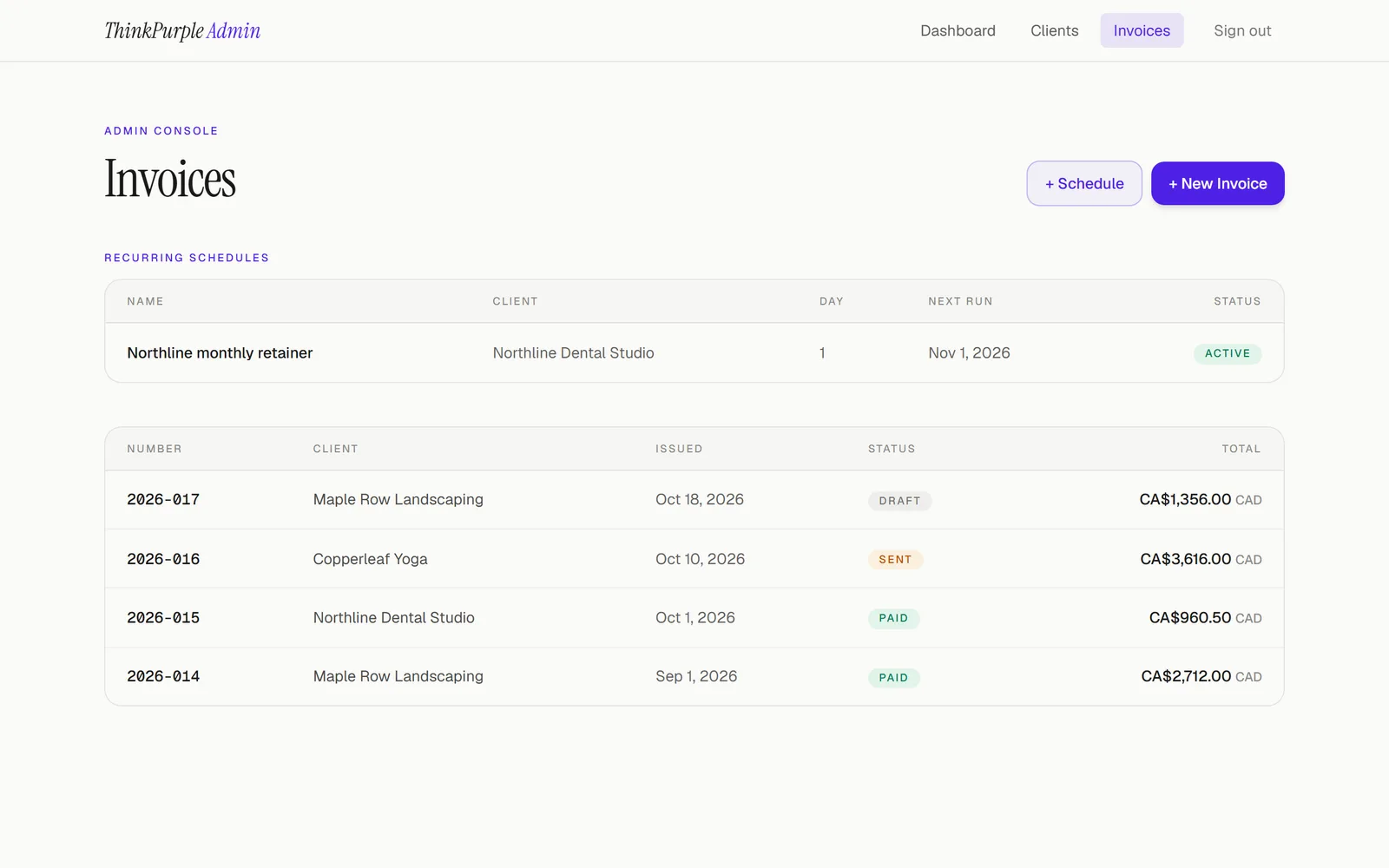
Once someone says yes, the admin console takes over. It holds clients and invoices, and a daily job turns recurring schedules into monthly draft invoices. Drafts, sent and paid invoices sit in one list, so I can see what's owed at a glance.
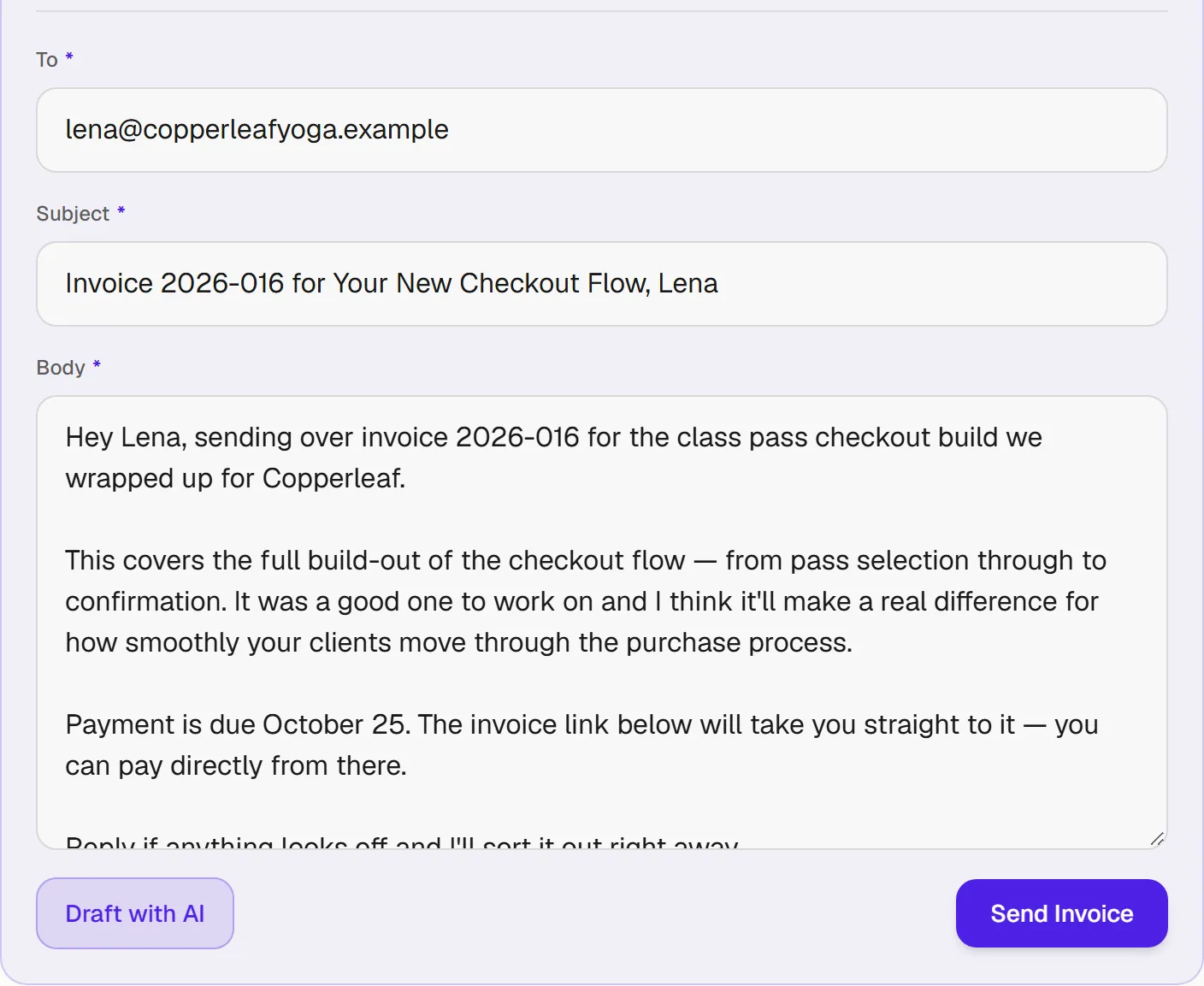
Each invoice email is drafted by AI in my voice: short, warm and specific about the work. I edit the draft, then send it myself.
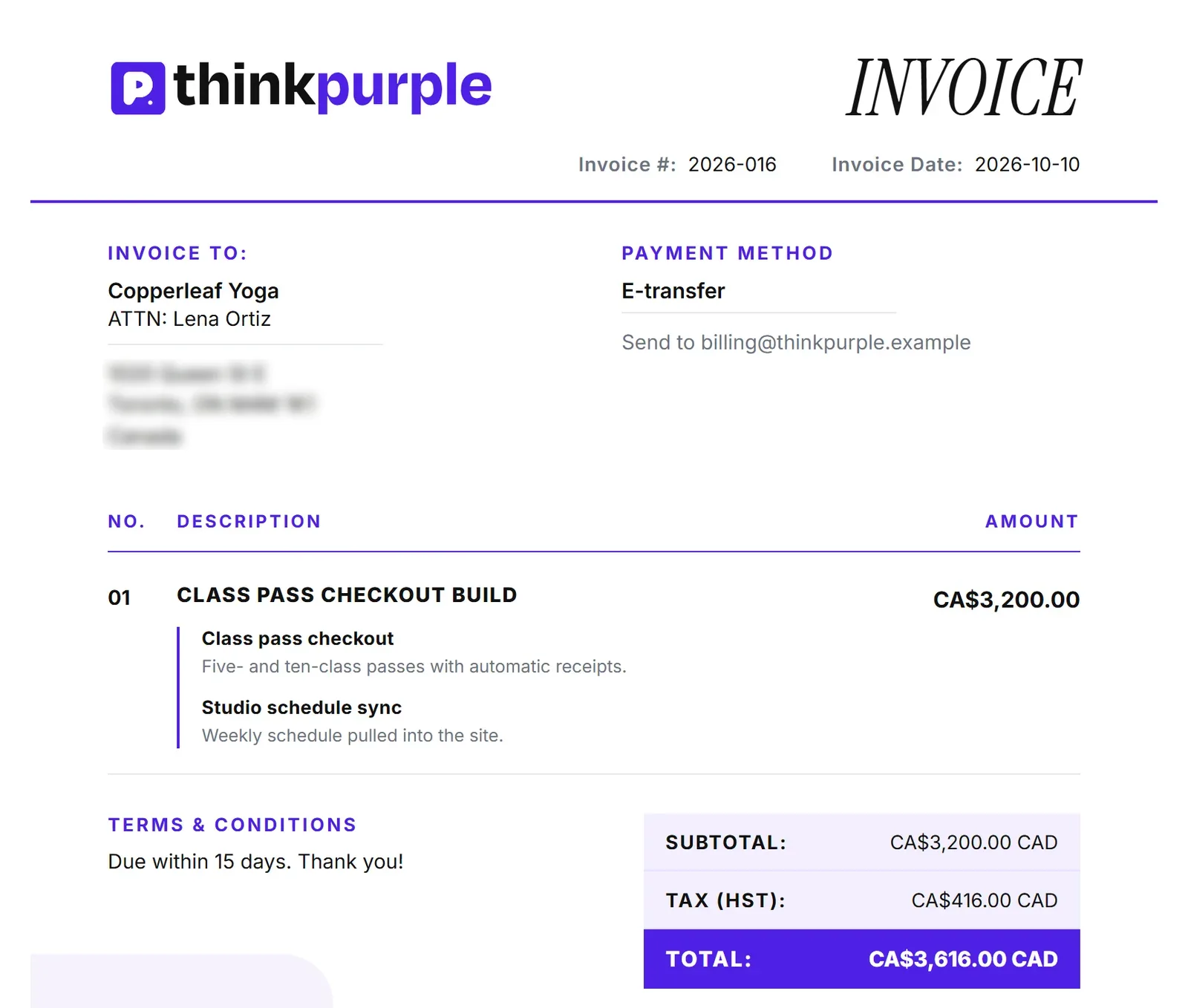
Clients don't need an account to pay. The email carries a signed link that opens their invoice in the browser for 90 days.
Safe to leave running
A public chat that sends email can be abused, so I closed that door first. The notify step only accepts a brief signed by a recent chat.
Rate limits cap chat turns, brief sends and research requests per visitor. Research links expire after seven days, and the admin and leads pages sit behind a sign-in.
Visitor contact details live in session storage, so they clear when the tab closes. With that in place, the next problem was getting people to the chat.
Letting people find Echo
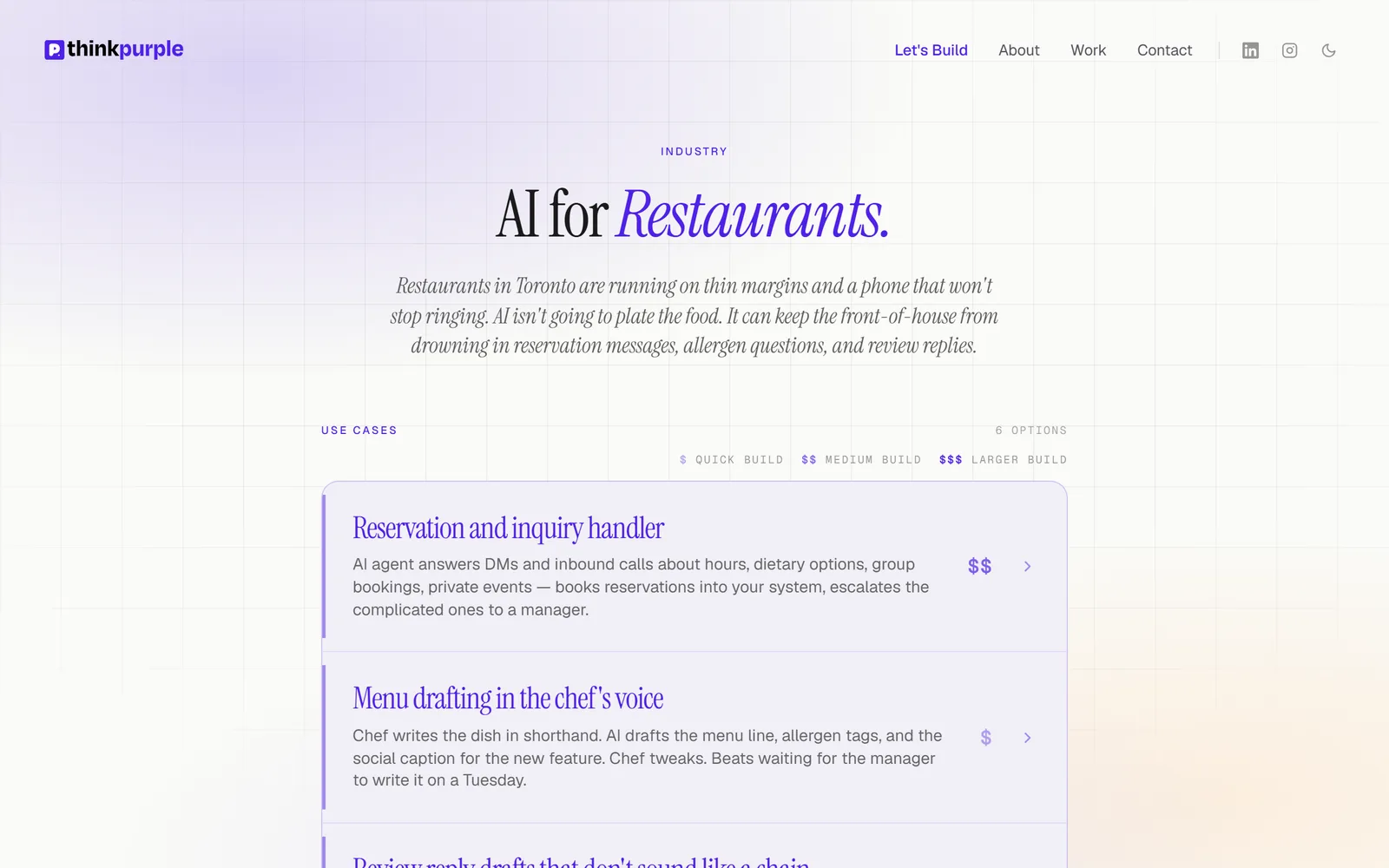
I built 12 "AI for" pages, one per industry or problem, plus a Toronto page. Each one hands its visitor to Echo with the topic already set.
The Notes blog, a free AI vendor smoke test and a generator for social images fill in the rest. All of them lead back to the same conversation.
Arriving prepared
Echo has brought in several clients. Its biggest value is the preparation.
By the time I'm on a first call, I already know their situation. I know the likely gap between what they asked and what they need, and the questions worth asking.
Some of it is still manual. I write every quote and run onboarding myself, after that first call.
Next case study
Proof2Print
Retyping approved proofs into supplier forms, 100+ times a week.